
Overview
Tactility is an operating system that is focusing on the ESP32 microcontroller.
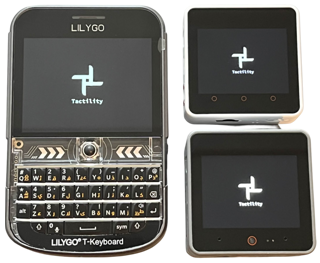
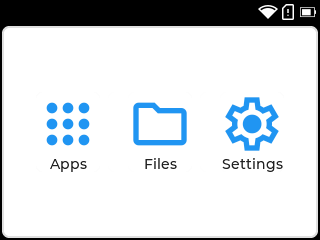
Status: Alpha
Next to desktop functionality, Tactility makes it easy to manage system settings:
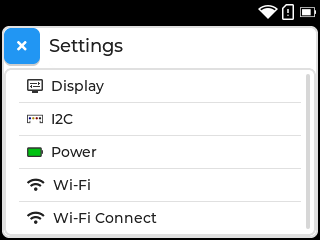
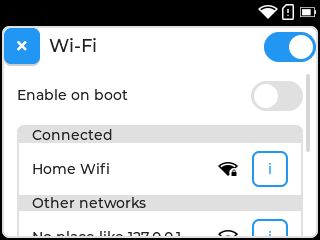
There are also built-in apps:
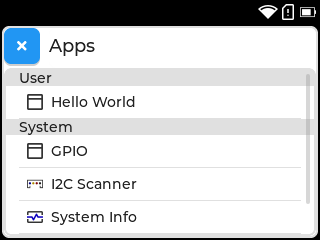
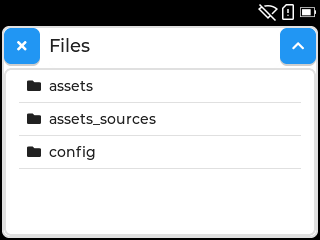
Play with the built-in apps or build your own! Use one of the supported devices or set up the drivers for your own hardware platform.
Noteworthy features:
- Touch UI capabilities (via LVGL) with support for input devices such as keyboard, trackable and more.
- Run apps and services.
- Run external apps from SD card. (limited APIs available, for now)
- Basic applications to boost productivity, such as a Wi-Fi connectivity and I2C.
- Includes a PC simulator build target to speed up development.
Requirements:
- ESP32 (any?)
- esp-idf 5.3 or a newer v5.3.x
- (for PC simulator) SDL2 library, including SDL image
Making apps is easy!
The app manifest provides basic information like the application name. It also describes the app lifecycle: It tells Tactility which functions need to be called when the app is started/shown/etc.
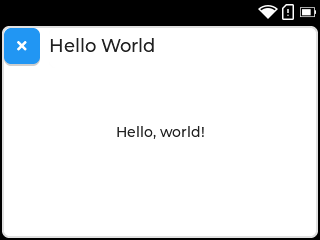
UI is created with lvgl which has lots of widgets! Creating a touch-capable UI is easy and doesn't require your own render loop!
static void onShow(tt::app::AppContext context, lv_obj_t* parent) {
    // Default toolbar with app name and close button
    lv_obj_t* toolbar = tt::lvgl::toolbar_create(parent, context);
    lv_obj_align(toolbar, LV_ALIGN_TOP_MID, 0, 0);

    // Label widget
    lv_obj_t* label = lv_label_create(parent);
    lv_label_set_text(label, "Hello, world!");
    lv_obj_align(label, LV_ALIGN_CENTER, 0, 0);
    // Widgets are auto-removed from the parent when the app is closed
}

extern const tt::app::AppManifest manifest = {
    .id = "HelloWorld",    // Used to identify and start an app
    .name = "Hello World", // Shown on the desktop and app's toolbar
    .onShow = onShow  // A minimal setup sets the onShow() function
};
Supported Hardware
Any ESP32 device with a touchscreen should be able to run Tactility, because LVGL is set up in a platform-agnostic manner. Implementing drivers can take some effort, so Tactility provides support for several devices.
Predefined configurations are available for:
| Device | Screen&Touch | SD card | Power | Other |
|---|---|---|---|---|
| LilyGo T-Deck Plus | ✅ | ✅ | ⏳ | Keyboard |
| LilyGo T-Deck | ✅ | ✅ | Keyboard | |
| M5Stack Core2 | ✅ | ✅ | ✅ | |
| M5Stack CoreS3 | ✅ | ✅ | ✅ | |
| Yellow Board 2432S024C (*) | ✅ | ✅ |
- ✅: Capable and implemented
- ⏳: Capable but not yet implemented
- ❌: Not capable
(*) Note: Only the capacitive version is supported. See AliExpress here and here.
Guide
Cloning from git
Ensure you clone the repository including the submodules! For example:
git clone --recurse-submodules -j8 https://github.com/ByteWelder/Tactility.git
Build environment setup
Ensure you have esp-idf 5.3 installed, then select the correct device:
Copy the sdkconfig.board.YOUR_BOARD into sdkconfig. Use sdkconfig.defaults if you are setting up a custom board.
Building firmware
You can run idf.py flash monitor, but there are some helpers available too:
./build.sh - build the ESP-IDF or the PC version of Tactility (*)
./build.sh -p /dev/ttyACM0 - optional: you can pass on extra parameters for esp-idf builds
./run.sh - Does flash and monitor for ESP-IDF and simply builds and starts it for PC
The build scripts will detect if ESP-IDF is available. They will adapter if you ran ${IDF_PATH}/export.sh.
Development
Take a look at the App Lifecycle or the dependency diagram (this uses PlantUML).
Directories explained:
App: The application/firmware example projectBoards: Contains board configuration projects with drivers (and simulator)Tactility: The main application platform codeTactilityC: C wrappers for making side-loaded apps (C++ is not supported yet)TactilityHeadless: Service framework and default services.TactilityCore: Core functionality regarding threads, stdlib, etc.Libraries: Contains a mix of regular libraries and ESP modules
Until there is proper documentation, here are some pointers: